Upload one photo
Choose a clear image that shows the subject you want to animate.
The page could not load. Please refresh to try again.
This is taking longer than expected. You can keep waiting or refresh the page.
Two steps to your first video. Details are optional, and generation starts when everything is ready.
Upload your own video or choose a preset reference.
Use a clear portrait for the best AI output.
Example
Front or slight angle works best.
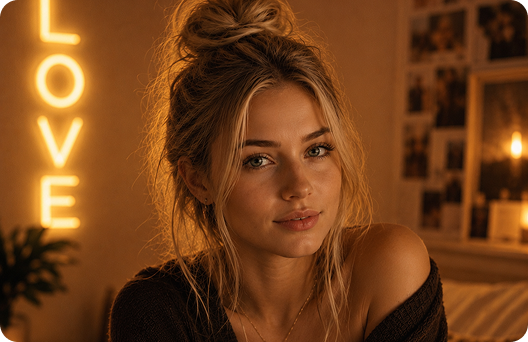
Background, outfit, or custom prompt.
Lovery turns a portrait into a gentle moving clip, using your selected motion sample to guide pacing and expression.
Choose a clear image that shows the subject you want to animate.
Choose a soft preset or upload a short clip to shape pacing, gesture, and camera feel.
Add optional details and create a video from the photo.
Turn a still image into a short generated video.
Guide expression, timing, and gesture without learning video editing tools.
Add background, outfit, and prompt details only when you need them.
Lovery keeps the person in the photo recognizable while adding natural motion.
Generate without masking, keyframes, or video editing tools.
Use only media you own or have permission to generate from.
Solo photos are easier to animate than crowded images.
A short, focused reference clip gives more predictable results.
Strong effects can make identity preservation harder.
Yes. Upload a portrait, choose a movement mood, and Lovery creates a short animated clip from the image.
It helps shape gesture, pacing, expression, and camera feel so the animation is not based on text alone.
Yes. Add optional notes for background, outfit, lighting, or emotional tone.
Use a well-lit image with one clear subject, visible face details, and minimal blur.
No. Lovery handles the upload, movement setup, and generation flow in the page.